There are no products listed under this category.
***IMPORTANT LATEST UPDATES FOR ALL STREAMING APPS
 10/15/26 If you are getting a Validation Code Error or cant Login to any App: Click on this link and choose your provider in the list it will tell you simple step for how to fix:
6/12/26 How to Back Up your Data for the CTC Multiplayer App in case you have to Clear Data:
Go to Settings in the App...General...Back up Data...Documents...Save. To Retrieve go to Restore Data..... Documents.....Select Local Back Up and Choose the Tivimate file.
6/1/26 Quick steps to find Security Settings in Popular Internet Providers Apps and Portals to help with Blocking Issues that will help if Your Provider has certain Security settings set. https://epg.run/unblock/
(Note): If removing the Block from your ISP doesnt Fix your Issue You will need to Purchase a VPN to further assist in resolving blocking . VPN info here if needed: https://ctc7.mybigcommerce.com/vpn/
5/10/26
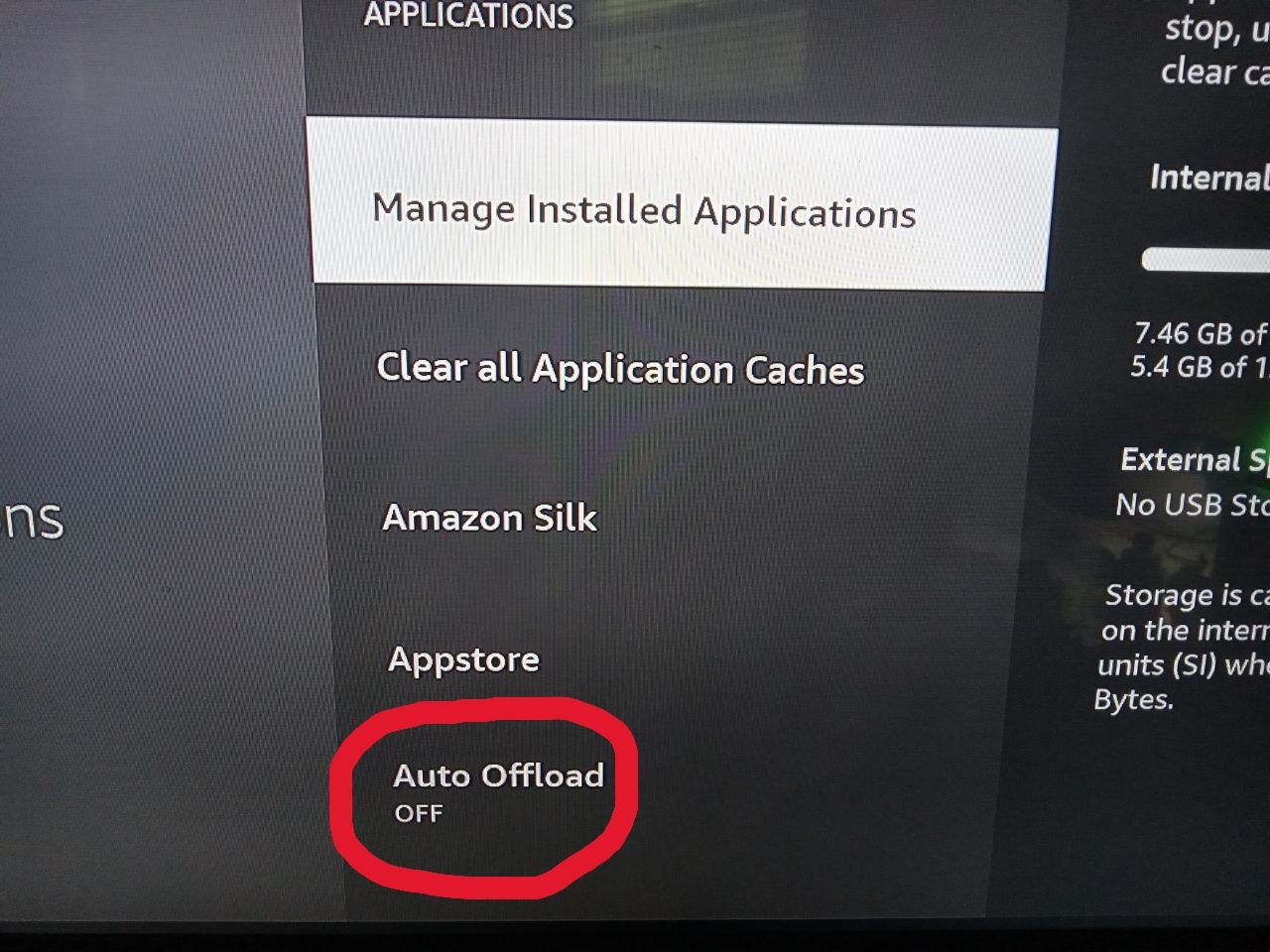
Important! Do this so your Apps dont disappear on Firesticks
1) Go to Firestick Settings...Applications...Turn Auto Offload OFF (Pic#1)
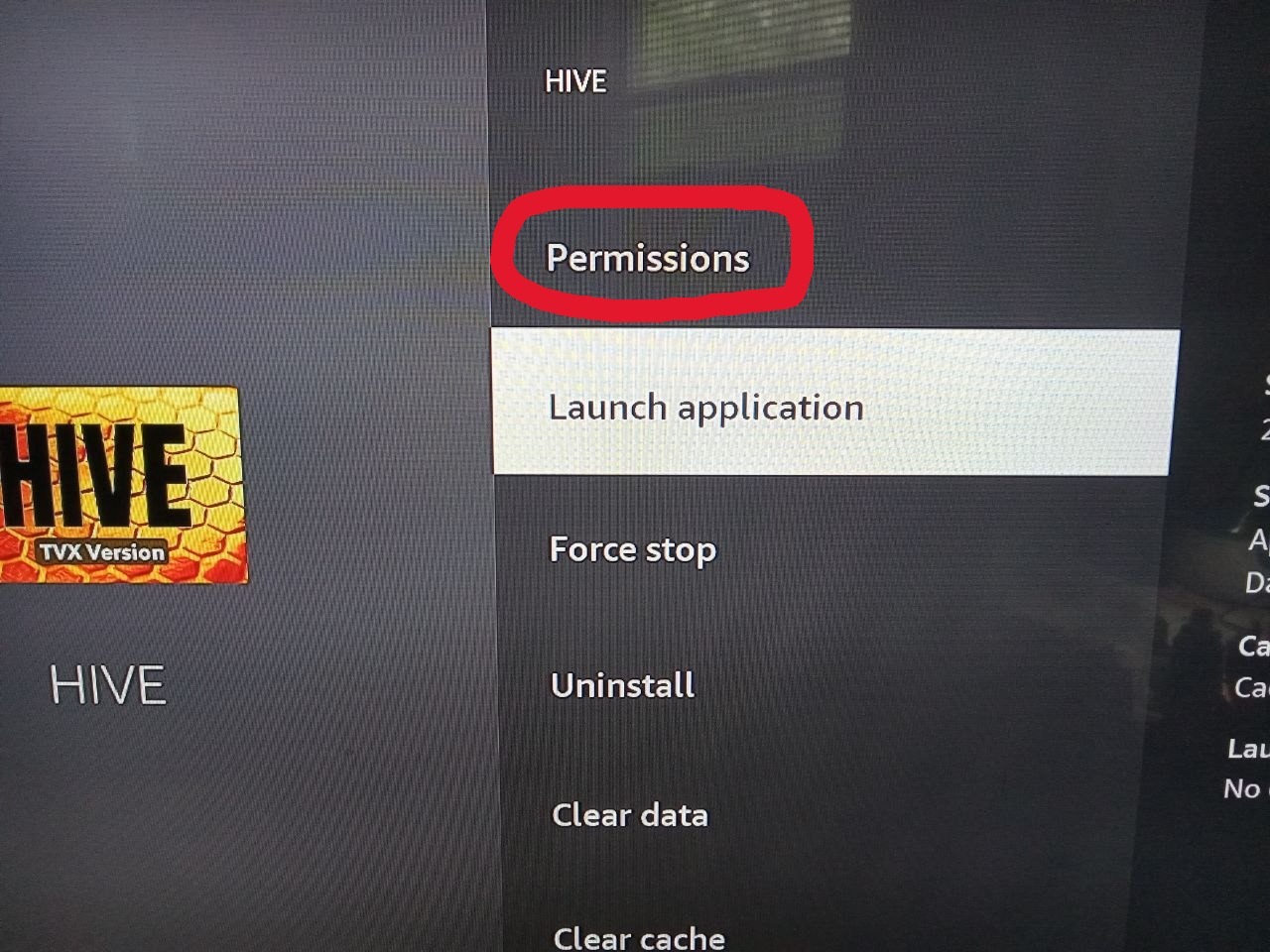
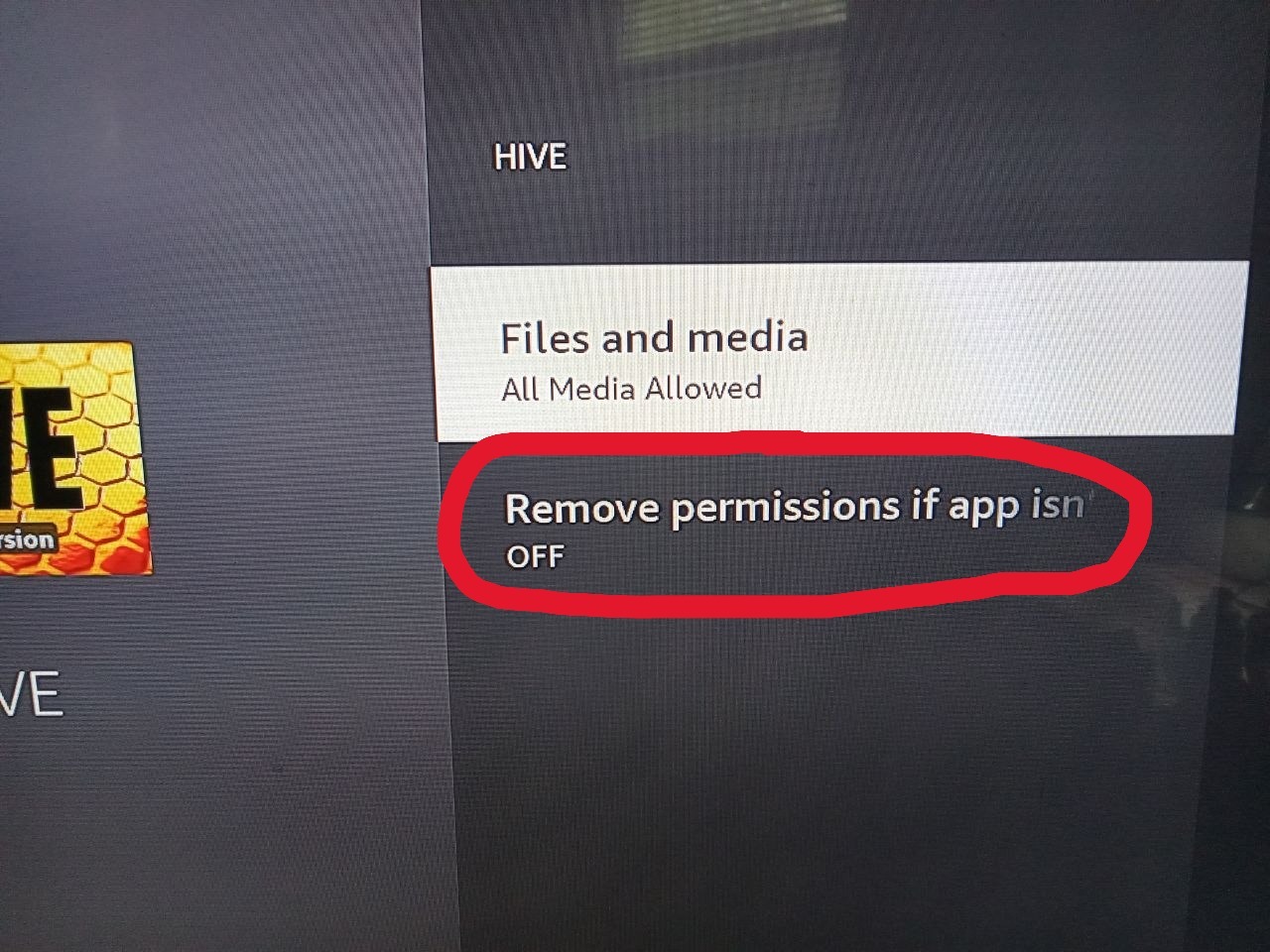
2) Go to Manage Installed Apps...Then go to each of the Streaming apps, VPN Apps, Speed Test Apps or other Apps that you use. Click on each one...Click Permissions...Turn Remove Permissions OFF (Pic# 2+3)